AI-Powered Accessibility Tools for Diverse Target Audiences

TL;DR
- This article explores how AI is revolutionizing accessibility tools, making digital content more inclusive for diverse audiences. It covers the evolution of AI in accessibility, key components of AI-powered tools, and practical examples of their use. The article also addresses challenges, ethical considerations, and future trends, providing educators, content creators, and compliance teams with insights to create more accessible and user-friendly experiences.
Introduction: The Rise of AI in Accessibility
Okay, so, web accessibility? It's kinda a big deal, and it's only getting bigger. I mean, everyone deserves access to the internet, right?
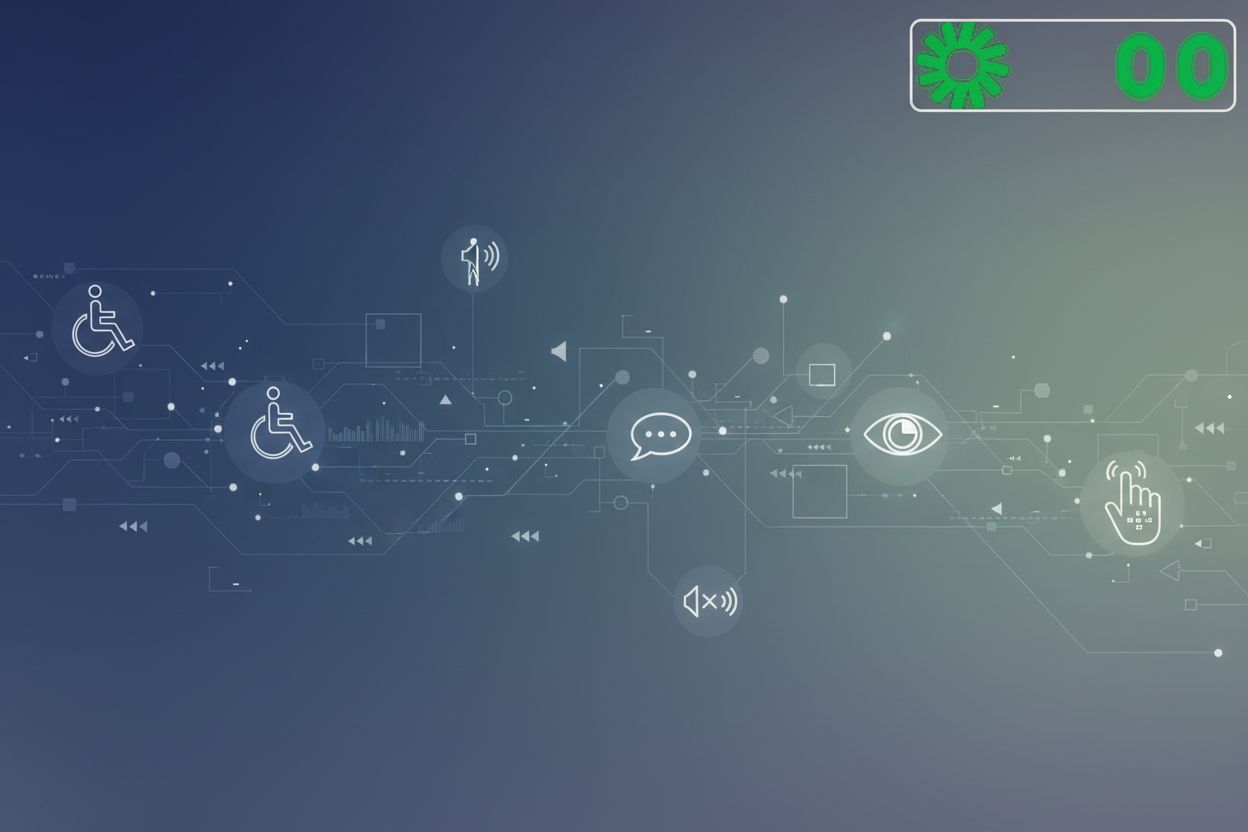
Web accessibility, at it's core, is about making sure websites and web content are usable by everyone, regardless of their abilities. That includes people with visual, auditory, motor, or cognitive impairments.
There's also the whole legal aspect. In many countries, there are laws like the Americans with Disabilities Act (ada) that require websites to be accessible. But honestly, it's not just about avoiding lawsuits. It's about doing the right thing, you know?
And here’s a stat for ya: According to the world health organization, more than 1 billion people, that's like, 15% of the world's population, experiences some form of disability. So, we're not talking about a niche market here.
Traditional web accessibility methods? Well, they're often manual, time-consuming, and, let’s be honest, kinda clunky. Think manual audits and human testing. But ai is changing the game.
ai-powered solutions offer automation, scalability, and improved accuracy. We're talking about stuff like machine learning (ml), natural language processing (nlp), and computer vision. venngage mentions that ai tools can now adapt in real time, automate content adjustments, and stay on top of compliance.
For example, ml can be used to dynamically adapt content based on user behavior. Nlp can simplify complex text for people with cognitive disabilities. And computer vision can automatically generate image descriptions for screen readers.
This tech isn't just sitting in a lab, either. microsoft is baking ai right into windows with copilot, making accessibility features easier to use. Pretty cool, huh?
So, what's next? Well, we're gonna dive into how ai is actually implemented in accessibility, looking at the tools, best practices, and challenges.
Understanding Diverse Target Audiences
Alright, so you wanna make sure your website actually works for everyone? It's not just about ticking boxes, it's about understanding that people use the internet in wildly different ways.
Visual impairments are more than just "can't see". Some folks use screen readers, so you need proper alt text on images. Others might have low vision, so good color contrast is key.
Auditory impairments mean captions and transcripts are your best friends. And it's not just for videos; think about audio cues on interactive elements.
Cognitive disabilities? That covers a lot. Simplified language and clear navigation are crucial. Avoid jargon and complex sentence structures, seriously.
Motor impairments can make using a mouse a nightmare. Keyboard navigation and voice control become essential for them you know.
It's really hard to design for "everyone" without getting specific. That's where personas come in.
- Creating personas helps you represent different user groups. Think of it as building a character profile for a typical user with specific disabilities. Like, what are their daily challenges? What tech do they use?
- It's all about empathy. You gotta put yourself in their shoes. A student with dyslexia will have very different needs than a senior citizen with low vision. How can you help them?
- Let's say you got Sarah, a student with dyslexia. She needs clear fonts, simplified text, and maybe even text-to-speech options. Sarah is an illustrative example to represent common challenges faced by individuals with dyslexia. Then there's Bob, a senior citizen with low vision. He's gonna need large fonts, high contrast, and easy navigation. Bob is an illustrative example to represent common challenges faced by individuals with low vision.

Understanding these needs is the first step. Next, we'll look at how ai can help you actually meet those needs.
Key AI-Powered Accessibility Tools and Features
AI-powered accessibility tools? It's not just some buzzword bingo anymore; it's about making the web actually usable for everyone. But how does it actually work? Let's break down some of the key technologies that are making a difference.
Machine learning (ml) is really stepping up the accessibility game. Instead of static websites, we're talking about sites that adapt in real-time, based on how you're using them.
- Think about it: ml algorithms can analyze user behavior to detect accessibility barriers. If someone's struggling with a mouse, it might automatically switch to a keyboard-friendly navigation menu. It's all about that context-aware adaptation, especially with single-page applications (spas) where content loads dynamically.
- Take, for example, auto-filling forms. For users with motor impairments, this can be a game-changer. ai can predict what you are trying to type and suggest it, saving a ton of effort.
nlp is another big player, focusing on making content easier to understand. It's not just about alt text anymore.
- nlp can simplify complex text for people with cognitive disabilities. Imagine taking dense legal jargon and turning it into plain English. That's the power of nlp. venngage notes that nlp applications include rephrasing language into easier terms, generating "easy to read" content, and creating descriptive alt text for images.
- And speaking of alt text, ai can now create descriptive alt text. Like, instead of just saying "dog," it can say, "a golden retriever playing fetch in a park during sunset." Much more helpful, right? This descriptiveness is achieved through advanced image analysis, object recognition, and scene understanding capabilities of ai.
Computer vision is all about understanding what's in an image or video. This is crucial for users who rely on screen readers.
- The main feature here is automated image descriptions. ai can analyze an image and generate alt text for screen readers. venngage mentions tools like Seeing ai, which can describe surroundings, read text, and identify objects.
- Real-time video captioning is another huge win. ai can analyze the audio in a video and generate captions on the fly, making videos accessible to people with auditory impairments.
Staying compliant with accessibility standards like wcag and ada can be a real headache. But ai is helping to automate the process.
- ai tools can perform real-time audits to check for things like missing alt text, poor color contrast, and improper heading structures. As venngage points out, these tools can detect and fix these issues, ensuring wcag compliance efficiently and at scale.
- This proactive approach is so important.
So, yeah, ai is making some serious waves in the accessibility world. From dynamic content adaptation to automated testing, it's changing the game for developers and users alike.
Next up, we'll look at some specific ai accessibility tools that are making a difference.
Spotlight on Specific AI Accessibility Tools
Alright, let's shine a spotlight on some ai accessibility tools that are actually making a difference, you know? It's one thing to talk about ai in theory, but another to see it in action.
Venngage, now this is interesting. It's not just another design platform; it's the only one (that i know of, anyway) that includes built-in accessibility features right from the start. They're all about that accessibility-first approach, which means you're thinking about inclusivity from the get-go.
- They've got a pdf accessibility checker, a color simulator, and an accessible color palette generator. That's a pretty comprehensive toolkit, and it makes sure your designs are wcag compliant before you even export them. venngage notes that their ai-driven compliance checker scans websites 24/7, automatically flagging and fixing accessibility issues before they impact users. This is how Venngage uses AI to achieve its accessibility goals – by automating checks and fixes within the design workflow.
- The goal? To ensure visuals are readable and inclusive.

Stark is kinda cool because it integrates directly into your design workflow. No need to export files or switch between programs.
- It lives right inside Figma, Adobe xd, and Sketch, which is super convenient.
- They've got real-time contrast checking and color-blind simulators, so you can see how your designs look to people with different visual impairments.
- Plus, it auto-generates accessibility reports, so you can track your progress and make sure you're hitting all the right marks.
AccessiBe is all about automation, which can be a lifesaver if you're not an accessibility expert.
- It uses ai to scan, fix, and maintain web accessibility compliance.
- The ai dynamically adjusts site elements to meet wcag, ada, and other global standards.
- They've even got an accessibility widget for real-time adjustments, which is pretty neat. But some users might prefer manual fixes, so keep that in mind.
Okay, so video is everywhere, right? But it's not always accessible. AirCaption uses ai to generate real-time captions and transcriptions.
- It supports multiple languages, which is awesome for global audiences.
- And it integrates with video platforms, so you can easily add captions to your videos.
- It’s a great tool, but remember, complex terminology might need some manual corrections.
Read Easy.ai is all about, well, making content easier to read, you know? For individuals with cognitive disabilities, dyslexia, or even those learning a new language, this tool can be a game-changer.
- It rewrites complex jargon in simpler terms, so everyone can understand what you're saying.
- It provides multiple reading level options, so you can tailor the content to your audience.
- And it's got customizable difficulty settings, so you can really fine-tune the experience.
Play.ht takes written content and turns it into realistic ai-generated speech.
- It supports multiple languages and custom voice options, so you can find the perfect voice for your content.
- And it integrates with websites and apps, so you can easily add audio to your projects.
- It's perfect for users with visual impairments, dyslexia, or reading difficulties.
So, yeah, there's a ton of cool ai accessibility tools out there. Picking the right one really depends on your specific needs and goals. Next up, we'll dive into implementing these tools effectively.
Implementing AI Accessibility Tools: Best Practices
So, you're diving into ai accessibility tools, huh? It's not just slapping some tech on your site and calling it a day; there's a right way and, well, a less-right way to do it.
First things first, assess what you're already doing. Don't just assume your current accessibility practices are trash. What's working? What's not? Where's the biggest bottleneck? Once you know that, you can figure out where ai can actually make a difference. Maybe it's automating alt text generation or dynamically adjusting content... or something else entirely.
- Start small. Don't try to overhaul everything at once. Pick one area where ai can have a quick, noticeable impact. For example, if you're in e-commerce, maybe focus on improving image descriptions for products. Get that working smoothly before you move on to simplifying product descriptions with nlp.
- Develop a Rollout Plan. This isn't a "set it and forget it" kinda deal. You need a plan. How are you gonna introduce these tools to your team? What training is needed? What's your timeline? And how are you gonna measure success?
Speaking of training, don't expect your team to just magically understand how to use these ai tools. You gotta show them the ropes. And not just how to click buttons, but why these tools matter and how they contribute to a more inclusive user experience.
- Hands-on training is key. Give your team opportunities to actually use the tools, experiment with different settings, and see the results for themselves. Maybe set up some workshops or lunch-and-learn sessions.
- Accessibility isn't just a tech thing. It's a mindset. Educate your team on the principles of accessible design and the needs of diverse users. The more they understand, the more effective they'll be at using these ai tools.
- Foster a Culture of Inclusivity. Make accessibility a core value in your team. Encourage open discussions about accessibility challenges and celebrate successes. This isn't just about compliance; it's about creating a better experience for everyone.
You can't just deploy these ai tools and hope for the best, you know? You gotta keep an eye on things. Are they actually making a difference? Are there any unintended consequences?
- Track the effectiveness of AI Tools. Use analytics to monitor key metrics like bounce rate, time on page, and user engagement. Are users with disabilities having a better experience? Are they able to find what they need more easily?
- Gather User Feedback. Talk to your users! What do they think of the new ai-powered features? Are they helpful? Are they annoying? Their feedback is invaluable for making adjustments and improvements.
- Regularly Audit for Compliance and Usability. Accessibility standards are always evolving, and ai tools aren't perfect. So, you need to regularly audit your website to ensure it's still compliant and usable.

Alright, so you've got a handle on implementing these ai accessibility tools. Now, let's talk about the bumps in the road and the ethical stuff we gotta consider.
Challenges and Ethical Considerations
AI's making waves in accessibility, no doubt. But let's keep it real – it ain't all sunshine and rainbows; there's a few storm clouds we need to address.
Data Bias: AI models learn from data, and if that data’s skewed, the AI will be too. Imagine an image recognition tool trained mostly on images of able-bodied people failing to identify assistive devices. That's more common then you think. We need diverse datasets that accurately represent everyone, especially those with disabilities.
For example, ensuring that image recognition ai used in retail for product identification includes images of hands using assistive devices to hold items.
Implementation Headaches: Integrating ai tools into existing systems? Not always a walk in the park. Legacy systems might throw a fit, and you might need specialized skills to get everything working smoothly. Planning is key, and resources must be allocated for implementation and training.
Think about healthcare providers integrating ai-powered transcription services for patient notes. They need to ensure it works with their existing electronic health records (ehr) systems, which can be complex and proprietary, and that staff are trained to use it effectively. This often requires specialized IT skills for integration and ongoing maintenance.
Privacy Predicaments: ai often relies on user data to personalize the experience. But what about data privacy? We need to be super careful about how we collect, store, and use this data. Transparency is crucial; users should know what data is being collected and how it's being used, and they should have control over it.
For instance, accessibility widgets that track user preferences, like preferred font sizes or color contrasts, should follow robust data protection protocols to comply with privacy regulations like the GDPR (General Data Protection Regulation) and CCPA (California Consumer Privacy Act). This includes obtaining explicit consent and anonymizing data where possible.
Ongoing upkeep: ai tools needs constant attention. Standards change, algorithms evolve, and what works today might not work tomorrow. Regular updates are essential, and you need to stay current with web accessibility guidelines.
An e-learning platform using ai to generate alternative text for images will need to regularly update its ai models to keep up with evolving accessibility standards and ensure the accuracy of its descriptions.

These challenges? They're not deal-breakers; just things to keep in mind. Up next, we'll peek into the future and see what's coming down the pike for AI-powered accessibility.
The Future of AI in Accessibility
Alright, so what does the future actually hold? It's like peering into a crystal ball, but instead of vague prophecies, we've got some pretty solid trends to look at.
Imagine a web that knows you. Not just your browsing history, but your actual needs. That's the promise of ai-driven personalization. We're talking hyper-personalized experiences, where interfaces adapt based on individual requirements.
- Think personalized font sizes, color schemes, and navigation layouts. It's like having a web designer that tailors the site to you, in real-time.
- For example, an e-commerce site might automatically increase the font size and contrast for users that it detects are using screen magnifiers. Or maybe a news site rearranges content based on a user's cognitive profile, putting the most important info front and center.
Remember when talking to your computer seemed like science fiction? Well, its not anymore. Voice-activated interfaces are becoming more sophisticated, and conversational ai is getting smarter.
- We are talking about enhancing voice assistants to understand and anticipate user needs. Imagine saying, "Hey assistant, make this page easier to read," and it instantly simplifies the text, increases font size, and adjusts the color contrast.
- Integrating conversational ai for real-time support is another game-changer. Need help navigating a complex form? Just ask the ai assistant for guidance. It's like having a personal accessibility expert on call 24/7.
Here's where things get really interesting. ai isn't just improving existing accessibility tools; it's also paving the way for new possibilities with ar and vr.
- Combining ai with ar and vr can create immersive accessible experiences. Think ar glasses with live captions for conversations, or virtual reality environments that adapt to user movements and sensory needs.
- For instance, an educational platform could use ar to overlay real-time translations and simplified explanations onto textbooks, making learning more accessible for students with dyslexia or language barriers.
With ai churning out text left and right, how do you know what's real anymore? That's where gptzero comes in.
- As ai tools become more prevalent, ensuring the authenticity of content is crucial. gptzero offers a solution by detecting ai-generated text, helping maintain transparency. gptzero is a tool designed to identify if text was written by an artificial intelligence.
- This is particularly important in educational resources, blogging, and digital content creation, where trust and accuracy are paramount.
Where are we headed? Experts predict that ai will be deeply integrated into design platforms by 2025, guiding creators to embed accessibility features from the start.
- We're talking proactive accessibility features embedded from the get-go, rather than tacked on as an afterthought. Plus, the rise of open-source ai models is democratizing technology, making advanced accessibility tools more attainable for diverse industries.
- It's not just about compliance anymore; it's about building a web that's inherently inclusive.

So, yeah, the future of ai in accessibility is looking pretty bright. Next, we'll wrap things up and talk about how we can all contribute to this accessible future.
Conclusion: Embracing an Accessible Future with AI
Okay, so, we've covered a lot about ai and accessibility—but what's the real takeaway here? Is it just a bunch of cool tech, or something more?
It's easy to get caught up in the tech side of things, but ai-powered accessibility is really about people, you know?
Reiterating the importance of ai-powered accessibility is key. As we've seen, it's not just about ticking boxes for compliance. It’s about creating a digital world where everyone can participate, regardless of their abilities. Tools like Venngage, as mentioned earlier, are leading the way in building accessibility right into the design process, making it easier for creators to build inclusive content from the start. Venngage uses AI to automate accessibility checks and suggest improvements, ensuring designs are inclusive from the outset.
Encouraging continued learning and adaptation is also super important. AI is constantly evolving, which means we need to stay on our toes. Keep exploring new tools, experimenting with different approaches, and learning from each other. For instance, if you're in education, consider how tools like Read Easy.ai can simplify complex topics for students with cognitive disabilities.
Highlighting the role of everyone in creating a more inclusive digital world isn't just for developers or designers. Teachers, writers, and anyone who creates content online has a role to play. Even something as simple as adding descriptive alt text to images can make a huge difference. And remember, as previously discussed, accurate alt text can be generated with ai.
"Accessibility is not a feature, it's a fundamental right."

So, what's next? Well, keep learning, keep experimenting, and keep pushing for a more inclusive digital world. It's an ongoing journey, but it's one that's worth taking. And who knows? Maybe you'll be the one to invent the next great ai accessibility tool, that'd be cool!